


Table of Contents
- Why Alternating Between Sitting and Standing Matters
- How Often to Alternate Sitting and Standing Throughout Your Day
- Understanding the 20-8-2 Rule for Standing Desk Users
- How Long to Stand at a Standing Desk Without Fatigue
- Creating Your Sit-Stand Desk Schedule for Maximum Benefit
- Essential Equipment and Setup for Comfortable Alternating
- Common Mistakes to Avoid When Alternating Positions
- Conclusion
- Frequently Asked Questions
Last Updated: 19 October 2026
Why Alternating Between Sitting and Standing Matters
Spending eight hours sitting in the same position takes a toll on the body. Your back aches. Your neck feels stiff. Energy crashes mid-afternoon. The solution isn't complicated: alternating sitting and standing at work breaks the cycle of prolonged static posture and gives your body the movement it needs.
At Ergo Desks, we've worked with thousands of professionals who discovered this simple shift transforms how they feel during the working day. When you alternate between sitting and standing, you reduce pressure on your spine, engage different muscle groups, and maintain better circulation throughout the day.
The benefits extend beyond comfort:
- Blood flows more freely when you stand, boosting oxygen delivery to muscles and brain
- Your core muscles engage naturally when standing, improving posture over time
- Sitting followed by standing prevents the stiffness that comes from staying in one position
- Energy levels stabilise instead of crashing in the afternoon
The catch? Most people don't know how to alternate effectively. They stand too long, get fatigued, and return to sitting for the rest of the day. Or they switch positions randomly without a clear pattern. A structured approach to how to alternate sitting and standing makes the difference between a strategy that works and one that leaves you frustrated.
How Often to Alternate Sitting and Standing Throughout Your Day
The ideal pattern is simple: alternate every 20 to 30 minutes. This rhythm matches your body's natural attention span and prevents fatigue from either position.
Here's why this timing works:
- After 20 minutes of sitting, your lower back begins to feel pressure
- After 20-30 minutes of standing, your legs and feet start to tire
- Switching before fatigue sets in makes the transition feel natural, not forced
A practical schedule might look like this:
- 8:30 am - Start sitting
- 8:50 am - Stand
- 9:10 am - Sit
- 9:30 am - Stand
The exact times matter less than the consistency. Your body adapts to a predictable rhythm. After a week or two, you'll notice the urge to shift positions arrives right on schedule.
Some people find 30 minutes works better than 20. Others prefer 25 minutes. The key is finding what prevents fatigue while keeping you engaged. Start with 20-30 minutes and adjust based on how your body responds.
Understanding the 20-8-2 Rule for Standing Desk Users
The 20-8-2 rule is a framework that many standing desk users follow to stay comfortable throughout the day. Here's what it means:

20 minutes sitting, 8 minutes standing, 2 minutes moving.
This isn't a rigid law. It's a starting point that prevents the common mistakes people make when they first get a standing desk.
The logic behind each component:
- 20 minutes sitting - Long enough to focus on deep work without fidgeting
- 8 minutes standing - Brief enough that your feet don't ache, long enough to engage your legs
- 2 minutes moving - Walk to get water, stretch, or step away from your desk
This ratio works well for people new to standing desks. It's conservative enough that you won't overdo standing time and aggressive enough that you're not sitting all day.
After two to three weeks, many people shift to 15-15-2 (equal sitting and standing) or adjust based on their work demands. The point is to start conservatively and build from there.
How Long to Stand at a Standing Desk Without Fatigue
Standing for more than 30 minutes without a break leaves most people uncomfortable. Your feet start to ache. Your lower back tightens. The temptation to sit down grows stronger.
The practical limit depends on several factors:
- Your fitness level and standing experience
- The quality of your footwear
- Whether you're using an anti-fatigue mat
- Your desk height and monitor position
A beginner should aim for 15-20 minutes of standing in the first week. This feels manageable and prevents the soreness that discourages people from trying again.

By week three, most people comfortably stand for 25-30 minutes. By week six, standing for 45 minutes feels normal.
An anti-fatigue mat makes a real difference. The slight cushioning reduces strain on your feet and lower legs, allowing you to stand longer without discomfort. The Standing Desk Floor Mat from Ergo Desks (£50.00) helps relieve pressure on the feet and spine whilst improving blood circulation, making extended standing periods more sustainable.
The longest you should stand without switching positions is 30 minutes. Beyond that, fatigue builds quickly and your posture deteriorates.
Listen to your body. If your feet hurt after 20 minutes, sit down. If you feel energised after 30 minutes, you can stand longer next time. The goal is consistency, not endurance.
Creating Your Sit-Stand Desk Schedule for Maximum Benefit
A written schedule removes the guesswork from how to alternate sitting and standing. When you know exactly when to switch, you're more likely to stick with it.
Here's a sample full-day schedule:
- 9:00 am - Sit (focused work)
- 9:25 am - Stand (emails, calls)
- 9:45 am - Sit (deep work)
- 10:10 am - Stand (stretch, walk)
- 10:30 am - Sit (meetings, writing)
- 10:55 am - Stand (break time)
- 11:15 am - Sit (work)
- 12:00 pm - Lunch (standing or walking)
- 1:00 pm - Sit (afternoon focus block)
- 1:25 pm - Stand (admin tasks)
- 1:45 pm - Sit (deep work)
- 2:10 pm - Stand (movement break)
- 2:30 pm - Sit (wrap-up work)
- 3:00 pm - Stand (final push)
This schedule alternates every 20-25 minutes and includes a lunch break. Adjust the times to match your actual work rhythm.
The memory buttons on an electric standing desk make this easier. The 4 Button Standing Desk Memory Control from Ergo Desks (£50.00) lets you set two preferred heights with a single button press. One preset for sitting height, one for standing height. No fumbling with controls each time you switch.
Your schedule isn't permanent. After a month, review what worked and what didn't. Maybe you need longer sitting blocks before meetings. Maybe standing time feels better in the afternoon. Adjust and refine based on real experience.
Essential Equipment and Setup for Comfortable Alternating
The right setup determines whether alternating feels easy or exhausting. Three things matter most: desk height, monitor position, and foot support.
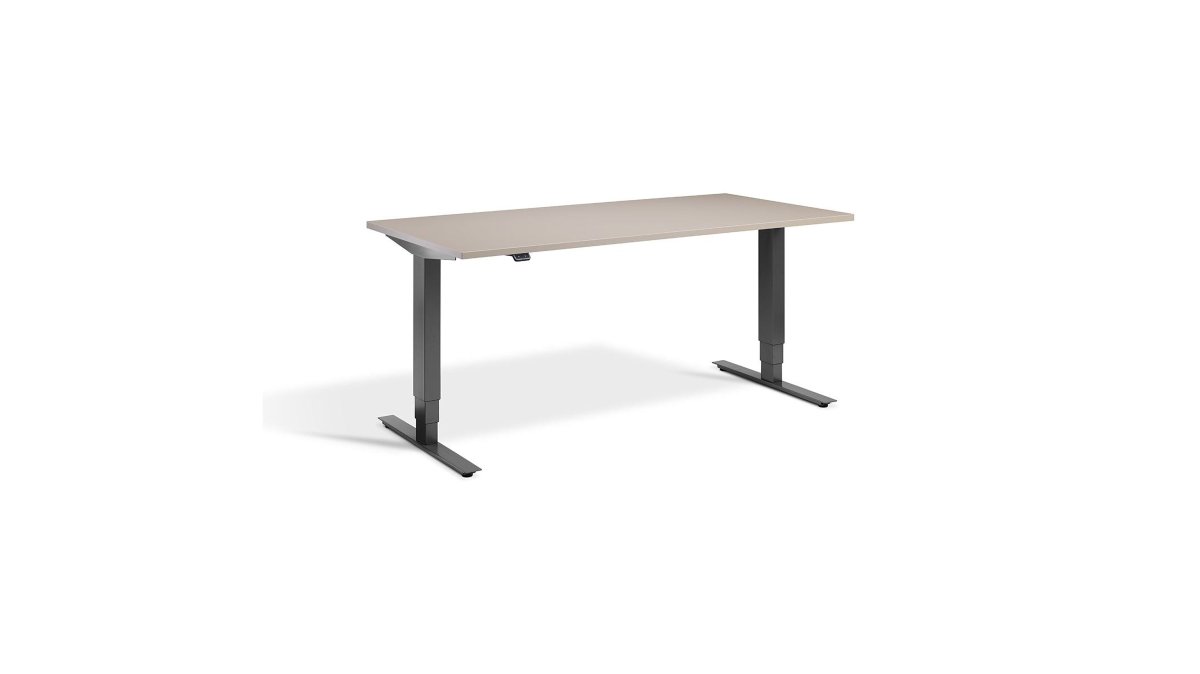
Desk height should allow your elbows to rest at 90 degrees whether sitting or standing. Too high and your shoulders shrug. Too low and you hunch forward. A height-adjustable desk solves this problem entirely. The Atlas Standing Desk from Ergo Desks (£595.00) features a dual-motor system that adjusts smoothly between sitting and standing heights, with a 120kg load capacity and free UK next-day delivery.

Monitor position stays constant. Your screen should be at eye level, about an arm's length away. When you switch from sitting to standing, your eye level changes slightly, but a monitor arm adjusts for this automatically. This prevents neck strain during transitions.
Foot support matters when standing. A proper anti-fatigue mat cushions your feet and encourages subtle movement. Without one, standing feels like standing on concrete. With one, it feels sustainable. The Standing Desk Floor Mat (£50.00) comes in two sizes (Medium or Large) and features a bevelled edge for easy movement of office chairs.
Other helpful additions:
- A footrest for sitting periods (reduces pressure on lower back)
- A desk organiser to keep essentials within reach
- A water bottle nearby (standing makes you more aware of hydration)
- Comfortable shoes with proper arch support
The Torvan Ergonomic Mesh Task Chair from Ergo Desks (£361.67) provides excellent lumbar support for sitting periods. Its adjustable depth and height, combined with twin lumbar pads, ensure proper posture whether you're sitting for 20 minutes or longer.
Common Mistakes to Avoid When Alternating Positions
Most people make the same errors when they start alternating. Knowing what to avoid saves weeks of frustration.
Mistake 1: Standing too long on day one
The temptation is strong. You get a new standing desk and think, "I'll stand for two hours straight." Your feet ache. Your back hurts. You swear off standing desks forever.
The fix: Start with 15 minutes of standing on day one. Increase by five minutes every few days. Your body needs time to adapt.
Mistake 2: Ignoring posture when standing
Standing doesn't automatically fix posture. Bad standing posture is just as harmful as bad sitting posture. Your shoulders roll forward. Your pelvis tilts. Your weight shifts to one leg.
The fix: Stand with shoulders back, core engaged, and weight balanced on both feet. Check your posture every few minutes in the first week.
Mistake 3: Switching positions at random times
Without a schedule, you'll sit when you should stand and stand when you should sit. This inconsistency prevents your body from adapting.
The fix: Use a timer or reminder. Stick to your schedule for at least two weeks before adjusting.
Mistake 4: Forgetting to move during the "movement" part
The 2-minute movement component isn't optional. Sitting then standing without actual movement misses the point.
The fix: During your movement minutes, actually move. Walk to get water. Do a few stretches. Step away from your desk.
Mistake 5: Using the wrong desk height
If your desk height doesn't match your body, no amount of alternating helps. Your arms stay tense. Your neck strains.
The fix: Measure your elbow height when standing. Set your desk so your elbows rest at 90 degrees.
Conclusion
Alternating sitting and standing at work is one of the simplest ways to reduce discomfort and boost energy throughout the day. The 20-30 minute rhythm works for most people. A structured schedule removes the guesswork. Proper equipment makes the transition smooth and sustainable.
The challenge isn't understanding the concept. It's implementing it consistently. Ergo Desks helps by providing height-adjustable desks with smooth dual motors, memory presets, and anti-fatigue mats that make alternating effortless. With the right setup and a clear schedule, alternating between sitting and standing becomes automatic within weeks, transforming how you feel at work.
Frequently Asked Questions
How often should you alternate between sitting and standing at work?
Most ergonomic experts recommend alternating every 20 to 30 minutes. Start with shorter standing intervals (around 8 minutes) if you're new to standing desks, then gradually increase to 20-30 minute blocks as your body adapts. The key is consistency, switching positions regularly keeps your muscles engaged and prevents the fatigue and discomfort that come from staying in one posture too long.
What is the 20-8-2 rule for sitting and standing?
The 20-8-2 rule suggests spending 20 minutes sitting, 8 minutes standing, and 2 minutes moving or stretching during each hour of work. This pattern balances comfort with activity, preventing muscle fatigue whilst maintaining the health benefits of movement. It's a practical starting point, though you can adjust the intervals based on your comfort level and job demands.
How long can you safely stand at a standing desk without discomfort?
Most people can comfortably stand for 20-30 minutes before needing to sit again, especially when starting out. If you experience foot or leg soreness, reduce standing intervals to 15-20 minutes and invest in an anti-fatigue mat to reduce pressure on your feet and lower back. Proper footwear and correct desk height also make a significant difference in how long you can stand comfortably.
Will alternating sitting and standing actually help my chronic back pain?
Alternating positions reduces prolonged pressure on your spine and encourages better posture, which can ease back pain over time. Staying seated all day compresses your lower back and weakens supporting muscles; standing and moving breaks that cycle. However, results depend on maintaining proper ergonomics, correct monitor height, desk depth, and chair support matter just as much as the alternating itself. If pain persists, consult a healthcare professional.
