


Last Updated: November 10, 2026
Quick Summary
Anti-collision safety is a protective system built into an electric desk frame that detects an obstruction in the desk's path and stops or reverses movement before damage or injury occurs. It uses gyroscope and current-sensing technology to halt the motors, back the desktop off slightly and wait for you to clear the obstruction.
- A gyroscope registers a sudden jolt as a collision signal when the desktop hits something.
- An ammeter watches for current spikes when the motors work harder against an obstruction.
- Run the reset sequence after assembly so the control box records its baseline for normal load.
- Test detection with a light obstruction, then a firmer one, at several heights and loads.
- Loose cables cause more false triggers than any other single factor, so route them clear of the frame.
Table of Contents
- What Anti-Collision Safety Means on an Electric Desk Frame
- How Anti-Collision Detection Works: Sensors, Motors and Control Boxes
- Choosing a Standing Desk Anti-Collision Sensor System
- Setting Up Your Electric Standing Desk Frame: Calibration and Sensitivity
- Electric Desk Frame with Memory Settings: Using Presets Safely
- Standing Desk Cable Management and Collision-Free Routing
- Testing, Troubleshooting and Avoiding False Triggers
- Talk to Our Team Before You Choose Your Frame
- Frequently Asked Questions
What Anti-Collision Safety Means on an Electric Desk Frame
Anti-collision safety is a protective system built into an electric desk frame that detects an obstruction in the desk's path and stops or reverses movement before damage or injury occurs.
An electric desk frame with anti-collision safety does three things when it senses trouble: it halts the motors, backs the desktop off slightly, and waits for you to clear the obstruction. That sequence happens in a fraction of a second on a well-tuned frame.
Why does this matter so much? A height-adjustable desk carries a heavy desktop and everything on it. During lowering, the frame pushes downward with real force.
Below, we explain how the sensors work, how to set up and test yours, and which mistakes cause false triggers.
How Anti-Collision Detection Works: Sensors, Motors and Control Boxes
Detection relies on electronics, not magic. A control box reads signals from the motors and from sensors, then decides whether the desk is meeting unexpected resistance. Two technologies do most of the work.
Gyroscope and G-Force Detection
A gyroscope measures tilt and movement. When the desktop hits something, the frame shifts slightly, and the gyroscope registers that change. The control box treats a sudden jolt as a collision signal.
This method responds quickly to knocks and impacts. It also helps on uneven floors, where the desk may rock as it rises.
Ammeter and Current Sensing
An ammeter measures the electrical current drawn by the motors. Under normal load, current stays steady. When the desk pushes against an obstruction, the motors work harder and draw more current.
The control box watches for that spike. Once current passes a set threshold, the desk stops and reverses. Current sensing catches slow, steady pressure that a gyroscope might miss, such as a bag trapped under the frame.
Choosing a Standing Desk Anti-Collision Sensor System
Start with the sensor combination, then check the frame's build and warranty. A standing desk anti-collision sensor is only as good as the frame around it.
Use this checklist when comparing frames:
- Does the frame list both gyroscope and current sensing, or just one?
- Can you adjust sensitivity settings, or is detection fixed?
- What is the lifting capacity, and does it suit your monitors and equipment?
- Does the frame include overload and thermal protection?
- What warranty covers the frame and electronics?
- Are spare parts and support available after purchase?
A common mistake is buying on price alone and ignoring the control box. The electronics decide how well detection performs, so check them as carefully as the steel.
For readers comparing options, the 5 best electric desk frames for existing desktops roundup sets out how leading frames differ on safety features.
Setting Up Your Electric Standing Desk Frame: Calibration and Sensitivity
Calibration tells the control box what normal movement feels like. Until it has that baseline, the frame cannot reliably tell a chair leg from a stiff runner or an uneven floorboard.
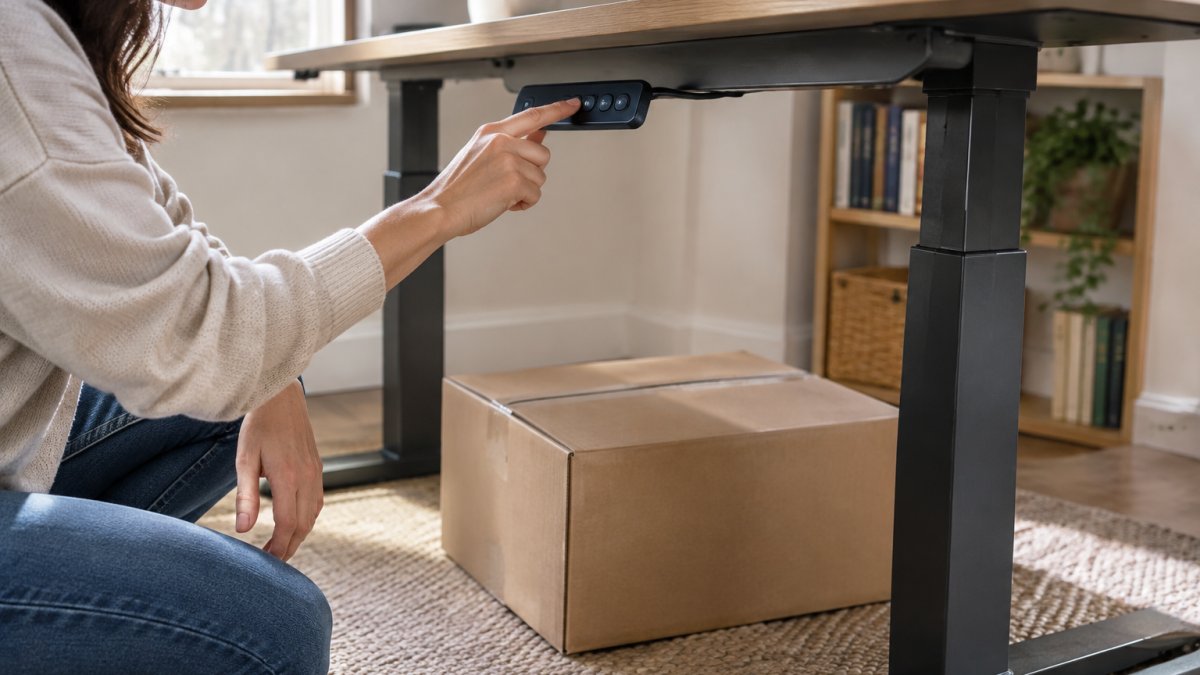
Work through these steps in order:
- Assemble and level the frame. Adjust the feet so the desk sits flat on the floor. A frame that rocks will trip the gyroscope repeatedly, so spend time here before touching the electronics.
- Run the reset sequence. Hold the down button until the desk reaches its lowest point and settles. The control box records the full travel and the current drawn at each point, which becomes its reference for normal load. Check your handset instructions for the exact button pattern, as it varies between controllers.
- Test with a light obstruction. Place a cardboard box under the desk and lower it gently. The desk should stop and reverse within a short distance. Repeat with a firmer object, such as a chair arm, to confirm the current-sensing threshold also triggers.
- Test at several heights. Detection should work near the top and bottom of the height range, not just in the middle. Lower the desk onto the box at three positions and note whether the stopping distance is consistent.
- Test at different loads. Add your monitors and equipment, then repeat the obstruction test. A heavier desktop draws more current at rest, so the control box has less headroom before it reads a collision. If the desk now pushes harder before reversing, that is a sign the sensitivity needs adjusting.
- Adjust sensitivity if offered. Lower the setting if the desk stops on its own during normal use. Raise it if the desk pushes too hard before reacting. Change one step at a time and re-test after each change.
A useful habit is to keep a note of the sensitivity setting and the load you tested with.
Watch out: skipping the reset after assembly is the most common cause of erratic behaviour. Once the frame responds consistently, Sungoals can help you consider how its height and position fit into a more ergonomic home office.
If your frame has no sensitivity adjustment, the reset is the only calibration available. In that case, pay closer attention to levelling and cable routing, because you cannot compensate for false triggers through the settings.
Electric Desk Frame with Memory Settings: Using Presets Safely
Memory presets store your preferred sitting and standing heights, so one touch moves the desk to position. The convenience is real, but presets change how you should think about safety.
A preset move runs without you holding the button. That means the desk travels on its own while you step away or reach for a coffee.
A few habits keep preset use safe:
- Check under the desk before recalling a height
- Keep bags, bins and cables out of the frame's path
- Teach anyone sharing the desk how the presets work
- Re-test detection after changing desks or moving rooms
If you are weighing up whether preset controls are worth having, this guide to electric desk frames with memory controllers explains what the feature adds in daily use.
Standing Desk Cable Management and Collision-Free Routing
Loose cables cause more false triggers than any other single factor. A dangling power lead catches on the frame mid-travel, the motors sense resistance, and the desk stops for no obvious reason.
Route cables so they move with the desk and never cross its path. A few practical steps:
- Use a cable tray fixed under the desktop
- Leave a service loop so cables flex without pulling tight
- Keep cables clear of the legs and the floor
- Group leads with clips or sleeves
- Check routing again after changing height settings
For a tidy setup, browse the desk cable management range, which keeps leads off the floor and away from moving parts. If you need a guide that travels with the desk, the Dataflex Addit cable guide with magnet mount keeps cables in line through the full height range.

Testing, Troubleshooting and Avoiding False Triggers
False triggers are the main frustration with anti-collision systems. The desk stops when nothing is there, or refuses to move at all.
Start with the simplest explanation and move inwards:
- Reset the control box. Run the full down-and-settle sequence again. This clears the stored baseline and is the first thing to try after any unexpected stop.
- Check the floor and feet. Uneven flooring makes the frame rock, and the gyroscope reads that rocking as impact. Move the desk to a flat section or adjust the feet before changing any settings.
- Inspect cable routing. Free any lead that touches the frame or floor. A dangling power lead catching mid-travel is the single most common cause of a desk that stops for no obvious reason.
- Lower the sensitivity. If your handset allows it, reduce the setting one step and re-test. Do not drop straight to the lowest setting, or you may mask a genuine obstruction.
- Test the load. An overloaded desk strains the motors and can trigger current sensing during normal movement. Remove items and see whether the behaviour changes.
- Check movement speed. Some frames move faster at certain points in their travel. If stops cluster at one height, note it, it may point to a stiff section of the leg rather than a sensor fault.
- Contact support if faults persist. Repeated stopping with a clear path, or repeated reversals with nothing underneath, points to an electronics issue rather than a setup problem.
A diagnostic flow helps here.
Error codes are worth recording. Many controllers flash a code or a pattern of lights when detection triggers.
It is also worth being clear about what anti-collision detection cannot do.
Ergo Desks covers its Atlas frame with a seven-year warranty.
Most false triggers trace back to a handful of causes, so work through them in this order.
| Problem | Likely cause | Fix |
|---|---|---|
| Desk stops and reverses immediately on every downward move | Stored baseline lost or a trapped cable | Reset the control box, then inspect cable routing |
| Desk stops only near the bottom of its travel | Uneven flooring or a leg needing levelling | Move the desk to a flat section or adjust the feet |
| Desk stops only when fully loaded | Current-sensing threshold reached | Reduce the load or adjust sensitivity |
| Desk stops for no obvious reason | Dangling power lead catching mid-travel | Free any lead touching the frame or floor |
| Desk stops on its own during normal use | Sensitivity set too high | Lower the sensitivity one step and re-test |
| Repeated stopping with a clear path | Electronics issue rather than setup | Contact support if faults persist |
Talk to Our Team Before You Choose Your Frame
Choosing a frame comes down to matching sensor technology, lifting capacity and warranty to how you actually work. Get those three right and the safety features do their job quietly in the background.
Not sure which frame suits your space? The Atlas electric desk frame pairs a dual motor system with anti-collision detection, a 120kg lifting capacity and quiet operation under 42dB, and it ships with free delivery and returns.

Talk to our friendly team about what product is best for you, including frame options, desktop compatibility and bulk orders for larger offices.
A desk that stops when it should is a desk you can trust with your equipment, your furniture and the people around it.
Frequently Asked Questions
What is anti-collision detection on an electric desk?
Anti-collision detection is a safety feature that stops or reverses the desk when it meets resistance during raising or lowering. Sensors in the control box monitor motor current or movement, and when the reading changes sharply the desk halts. It protects nearby objects, furniture and pets, and reduces the risk of trapping fingers. Not every electric desk frame includes it, so check the specification before buying.
How do you test an electric desk frame's anti-collision feature?
Place a light cardboard box or a cushion under the desk edge, then lower the desk slowly. The desk should stop and reverse within a moment of contact. Repeat at low and high sensitivity if your handset allows adjustment. Test at several heights and with different loads, because a heavy desktop can affect how quickly the system responds. If the desk keeps pushing, stop and check the calibration.
Are all electric standing desks fitted with anti-collision safety?
No. Anti-collision safety is not universal, and some budget frames rely only on motor overload protection, which reacts more slowly. If you need protection around children, pets or shared office furniture, look for a frame that explicitly lists anti-collision detection. Ask the retailer for the technical details and confirm the feature is active in both directions before you buy.
What should you check before buying a height-adjustable desk frame?
Check the lifting capacity, height range, motor type and whether anti-collision detection is listed. Confirm the frame fits your desktop width and your room's clearance. Look at the warranty length and what it covers, and ask whether the control box supports sensitivity adjustment. For offices, check whether the frame can be reset easily and whether spare parts are available.

