


Table of Contents
- Why Stability Is the Main Factor for a Dual-Monitor Standing Desk
- Quick Comparison: Best Standing Desks for Two Monitors
- Standing Desk Dimensions for Dual Monitors: Getting the Width Right
- Standing Desk Weight Capacity: How Much You Actually Need
- Standing Desk Wobble: What Causes It and How to Stop It
- The Most Stable Standing Desks for Dual Monitors in the Range
- Accessories That Improve Stability and Cable Management
- Which Standing Desk Should You Choose?
- Frequently Asked Questions
Last Updated: 20 October 2026
Why Stability Is the Main Factor for a Dual-Monitor Standing Desk
Two monitors on a single desk create a lever problem. Every keystroke, every reach for a mouse, every shift of weight sends a small vibration through the frame, and at standing height that vibration is amplified.
That is why stability, not motor speed or app features, should decide which standing desk for two monitors you buy. At Ergo Desks, stability is the design priority across the whole range, and it is the single quality that separates a desk you keep for a decade from one you regret within a month.

The good news is that stability is measurable before you buy. Frame material, leg structure, motor count, and desktop thickness all predict how a desk behaves under load. Below, this guide breaks down the specifications that matter, compares the options in the range, and explains why the best standing desk for dual monitors is the one that barely moves at all.
Quick Comparison: Best Standing Desks for Two Monitors
The fastest way to choose is to match desk capacity and shape to your monitor setup. The table below summarises the range by the numbers that affect stability most.
| Desk | Motors | Load Capacity | Shape | Price | Best For |
|---|---|---|---|---|---|
| Atlas Radial Standing Desk | Triple | 160kg | Radial corner | £1,095.00 | Heavy dual or triple setups |
| Atlas Standing Corner Desk | Triple | 160kg | L-shape corner | £955.00 | Large L-shaped workstations |
| Atlas Bluetooth® Standing Desk | Dual | 120kg | Rectangular | £635.00 | App control and presets |
| Modal Standing Desk | Dual | 120kg | Rectangular | £665.00 | Design-led home offices |
| Atlas Standing Desk | Dual | 120kg | Rectangular | £595.00 | Straightforward dual-monitor setups |
| Hades Standing Desk | Dual | 120kg | Rectangular | £595.00 | Industrial styling |
The pattern is clear: triple-motor corner desks carry the most weight and resist twisting best, while dual-motor rectangular desks suit two screens in a straightforward layout.

Standing Desk Dimensions for Dual Monitors: Getting the Width Right
The right desktop width for two monitors is 160cm for most setups, with 140cm as a workable minimum and 180cm for screens larger than 68cm (approx. 27 inches). Anything narrower forces the monitors towards the centre of the desk, which concentrates weight and reduces usable space for a keyboard, notebook, and coffee cup.
Depth matters just as much. An 80cm-deep top gives you room to push the screens back to a comfortable viewing distance, which matters more at standing height where the eyes sit further from the desk surface. All the rectangular desks in the range come in 120x80cm, 140x80cm, 160x80cm, and 180x80cm sizes, so a two-monitor setup can be matched to the room rather than squeezed into it.
Straight, L-Shape or Radial: Which Layout Suits Two Screens?
Straight desks suit side-by-side monitors on a single arm or stand. They are the simplest option and the easiest to place against a wall.
L-shaped corner desks put the two screens on separate legs of the desk, which spreads weight across a wider footprint and reduces the use that causes wobble. The Atlas Standing Corner Desk uses this layout to good effect.

Radial desks curve the work surface around the user. The Atlas Radial Standing Desk keeps both screens within easy reach without turning the head, and the curved footprint distributes load more evenly than a straight frame.
Standing Desk Weight Capacity: How Much You Actually Need
A typical dual-monitor setup weighs far less than buyers assume. Two screens larger than 68cm (approx. 27 inches) come to roughly 10kg to 14kg with stands, a monitor arm adds a few kilograms, and a laptop, dock, and desk clutter rarely push the total past 30kg.
So why do the specs matter? Because capacity signals frame strength, and frame strength is what keeps a desk steady. A desk rated to 120kg has reserve stiffness that a lighter frame lacks, and that reserve is what stops the desktop flexing when you lean on it.
The range splits into two tiers. Dual-motor desks such as the Atlas Standing Desk, Atlas Bluetooth® Standing Desk, Modal Standing Desk, and Hades Standing Desk carry 120kg. Triple-motor corner desks, the Atlas Radial Standing Desk and Atlas Standing Corner Desk, carry 160kg. For a two-monitor setup, 120kg is ample. Choose 160kg if you plan to add a third screen, heavy speakers, or a printer on the desktop.
Standing Desk Wobble: What Causes It and How to Stop It
Wobble comes from four sources: a narrow leg footprint, a single-motor lifting column that twists under uneven load, a thin desktop that flexes between supports, and an uneven floor. Fixing the first three is a buying decision. Fixing the fourth takes two minutes with the desk's adjustable feet.
Motor count is the most underrated factor. A dual-motor system lifts both legs in sync, which keeps the frame level and reduces the side-to-side sway that single-motor desks suffer from. A triple-motor system adds a third lifting column, and on a corner desk that third column stiffens the frame exactly where a two-monitor load pushes hardest.
Desktop thickness and frame material complete the picture. A heavy-duty steel frame resists torsion better than a light alloy one, and the Atlas range is built around that principle. The result is a desk that holds its position at full standing height rather than swaying with every mouse movement.
The Most Stable Standing Desks for Dual Monitors in the Range
Stability is where the Ergo Desks range earns its reputation. Every desk in the line-up is built on a heavy-duty frame with synchronised motors, and the flagship models are engineered specifically for multi-screen work.
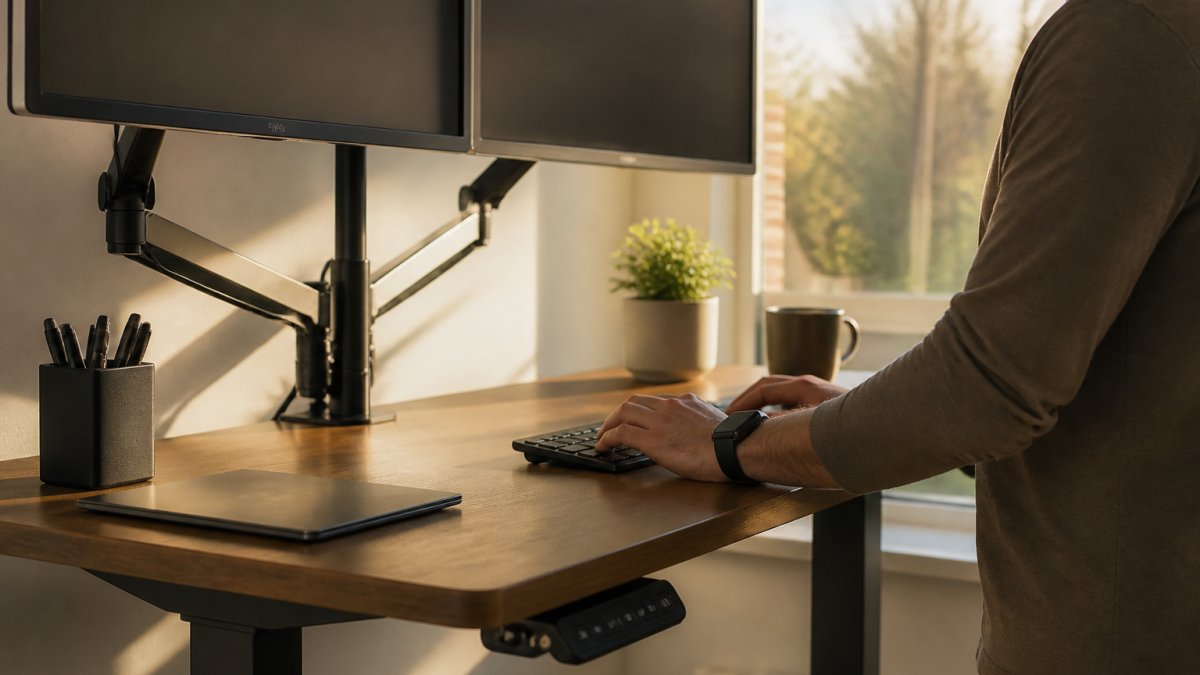
Atlas Standing Desk (£595.00) is the straightforward choice. A dual-motor system lifts up to 120kg on a heavy-duty frame, and the desk holds a steady platform at any height.
Atlas Bluetooth® Standing Desk (£635.00) adds smartphone control to the same dual-motor, 120kg platform.
Modal Standing Desk (£665.00) brings Swedish engineering and clean lines to the same 120kg dual-motor platform. It suits design-conscious home offices where the desk is on show.
Hades Standing Desk (£595.00) pairs a vintage-industrial raw forged steel frame with dual motors running at 40mm/s. The forged steel frame gives it a distinctive look and solid footing.
Atlas Standing Corner Desk (£955.00) is the L-shaped power option.
Atlas Radial Standing Desk: The Corner Option for Heavy Setups
The Atlas Radial Standing Desk is the most stable desk in the range for a demanding dual-monitor setup. A triple-motor system lifts up to 160kg, and the curved radial corner design keeps both screens within easy reach while distributing load across a wide footprint.
What most reviews miss is that the third motor on a corner desk does more than add capacity. It stiffens the frame at the corner joint, which is exactly where a two-screen load creates the most twisting force. In practice, that means the desktop stays level when you lean on one side to reach a mouse.
The radial shape also solves a posture problem. Screens arranged on a curve sit at a consistent distance from the eyes, so you are not turning your head to read the far monitor. At £1,095.00 it is the largest investment in the range, and for a heavy multi-screen workstation it is the one that will not need replacing.
Accessories That Improve Stability and Cable Management
Accessories do more for stability than most buyers expect. A monitor arm removes the screens' own stands from the desktop, which frees space and lets you position each screen at the correct height.
For a premium dual setup, the Bakker Elkhuizen Filex Galaxy Dual Screen Monitor Arm Mount (£208.33) adds a rotation stop so the arms can sit against a wall without touching it, plus cable management and a 7-year warranty.
Cable management matters for safety as much as tidiness. The Under Desk Cable Management Tray (£70.00) houses cables, extension leads, and adapters beneath the desktop, keeping them off the floor where they can catch on a rising desk. It fits desk widths from 100cm to 180cm and mounts directly to the frames of the Atlas range.
Which Standing Desk Should You Choose?
Choose the Atlas Standing Desk for a simple, stable dual-monitor setup at the lowest price. Choose the Atlas Bluetooth® Standing Desk if you want app control and memory presets. Choose the Atlas Radial Standing Desk if you run large screens, monitor arms, or heavy equipment and want the most stable platform in the range.
The decision comes down to one question: how much load will the desk carry, and how much movement can you tolerate? For most two-monitor setups, a 120kg dual-motor desk is enough. For anything heavier, the 160kg triple-motor corner desks remove the doubt. If you are still weighing up the options, talk to our friendly team about what product is best for you, we are always happy to help you match a desk to your setup.
Frequently Asked Questions
What is the best standing desk for two monitors?
The best choice is a desk with a dual-motor or triple-motor frame, a wide top of at least 140cm and a high weight capacity. The Atlas Standing Desk at £595.00 offers 120kg capacity and a heavy-duty frame, while the Atlas Radial Standing Desk at £1,095.00 adds a triple-motor system and 160kg capacity for heavier multi-screen setups. Prioritise frame stability over extra features, because a wobbling desk undermines the whole point of standing.
How wide should a standing desk be for two monitors?
Aim for a desktop at least 140cm wide for two standard monitors, and 160cm if either screen is larger than 68cm (approx. 27 inches). Standing desk dimensions for dual monitors also need to account for a monitor arm clamp, speakers and a laptop. The Atlas range includes 120cm, 140cm, 160cm and 180cm widths, so you can match the top to your screens rather than squeezing them onto a narrow frame.
How much weight should a standing desk support for dual monitors?
Two monitors typically weigh between 10kg and 20kg combined, plus an arm, laptop and accessories. A standing desk weight capacity of at least 80kg gives comfortable headroom, but 120kg or more is better for stability because the frame is not working near its limit. The Atlas and Hades desks both handle 120kg, and the corner models in the range handle up to 160kg.
How do I stop my standing desk wobbling?
Standing desk wobble usually comes from a single-motor frame, a top that overhangs the legs, or an uneven floor. Check the feet are level, keep the load centred rather than pushed to one edge, and tighten the frame bolts after the first week. Choosing a dual-motor or triple-motor desk with a heavy-duty frame is the most reliable fix, since the frame resists side-to-side movement far better than a lightweight single-motor model.
Is a single-motor or dual-motor standing desk better for two monitors?
A dual-motor desk is the better choice for two monitors. Two motors lift more evenly across the frame, which reduces flex and keeps the desktop level as it rises. Single-motor desks often struggle with heavier loads and can feel less planted at standing height. For very heavy multi-screen arrays, a triple-motor corner desk gives the most support and the least movement.
A dual-monitor setup demands a desk that stays level at standing height, and that is precisely what the Ergo Desks range is built to deliver. Every desk ships with a 7-year warranty, free delivery and returns, and the option to add cable management and monitor arms at checkout. For teams, Ergo Desks offers tailored corporate solutions with bulk discounts and assembly. Get started with Ergo Desks and build a workstation that holds steady through every adjustment of the working day.
