


Table of Contents
- Dual Motor Desk Frame vs Single Motor: The Quick Verdict
- How Single and Dual Motor Frames Actually Differ
- Standing Desk Frame Weight Capacity: What Each Motor Type Handles
- Standing Desk Frame Stability and Wobble at Full Height
- Standing Desk Motor Speed: Does It Matter Day to Day?
- Choosing a Standing Desk Frame for Multiple Monitors
- Matching Motor Type to Your Space and Budget
- Conclusion
- Frequently Asked Questions
Last Updated: October 21, 2026
Dual Motor Desk Frame vs Single Motor: The Quick Verdict
For most buyers weighing a dual motor desk frame vs single motor, the dual motor wins. It lifts more, stays steadier at full height, and handles multiple monitors without complaint. At Ergo Desks, the guidance is simple: choose dual motor unless space and budget are genuinely tight, in which case a well-built single motor still does the job.
Here is the short version. A dual motor desk spreads the load across two motors, one in each leg. A single motor drives both legs through a shared mechanism. That one design difference explains almost everything else: weight capacity, stability, speed, and price.
Below, this guide breaks down exactly where each type earns its keep, which specifications actually matter day to day, and how to match a frame to your room and your budget.
How Single and Dual Motor Frames Actually Differ
The core difference is mechanical. A single motor frame uses one motor to raise and lower both legs together, usually via a connecting drive shaft. A dual motor frame puts a separate motor in each leg, synchronised electronically so the desk stays level as it rises.
What a Single Motor Drives
A single motor frame is simpler and lighter. Fewer components mean a lower price and less to go wrong. The trade-off is that the one motor carries the whole load, so manufacturers cap capacity lower and the desk can feel less planted at the top of its range. The Uno Standing Desk is a good example: a single motor system with an 80kg capacity and a 725-1205mm height range, built in Europe for compact spaces.

What a Dual Motor Changes
A dual motor desk splits the lifting work between two motors. That means higher capacity, smoother travel, and better balance when the load is uneven, which is common when a monitor sits to one side. The Kompakt Standing Desk shows the step up: dual motors, 100kg capacity, and a 720-1185mm range in a compact footprint.
Standing Desk Frame Weight Capacity: What Each Motor Type Handles
Weight capacity is the clearest dividing line between the two designs. Single motor frames typically handle lighter loads, while dual motor frames carry more and hold their composure doing it.
For a practical benchmark, look at what each frame is rated for:
- Single motor: around 80kg, fine for one monitor, a laptop, and desk clutter
- Dual motor, mid-range: around 100kg, comfortable for dual monitors and accessories
- Dual motor, heavy-duty: 120kg, suited to multiple screens, a PC tower, and full desk setups
The Modal Standing Desk sits at the top of that scale with a 120kg lift capacity from its dual motor system. Capacity matters most when you add up everything on the desk: monitors, arms, a tower, speakers, and the desk top itself all count toward the limit.

Standing Desk Frame Stability and Wobble at Full Height
Stability is where the gap between the two designs shows up most. A dual motor frame stays noticeably firmer at full height because each leg carries its own load and the two stay synchronised. Single motor frames can develop a slight sway at the top of their range, especially under a heavy monitor setup.
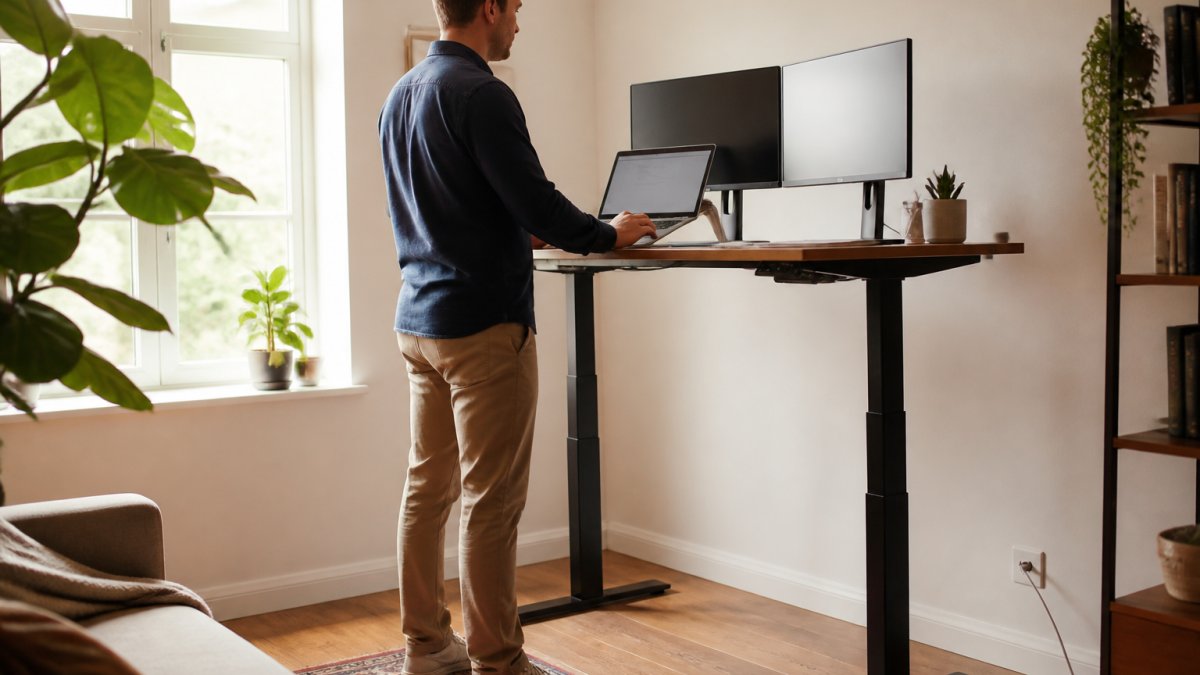
Wobble comes from three places: the frame's rigidity, the number of motors, and how well the legs are built. A well-engineered dual motor frame with a solid steel build keeps movement to a minimum. The Atlas Electric Desk Frame is built for exactly this, with a dual motor system, overload protection, thermal protection, and anti-collision detection, all backed by a seven-year warranty.
If you plan to stand for long stretches with a heavy screen setup, prioritise stability over saving a little money. A desk that shakes while you type is one you will stop raising.
Standing Desk Motor Speed: Does It Matter Day to Day?
Motor speed matters less than most buyers expect. A frame that travels faster feels smoother and saves a few seconds on each adjustment, but the real difference is noise and refinement, not raw pace.
For reference, a quick dual motor frame moves at around 40mm per second. The Hades Electric Frame runs at that speed, powered by Logic Data electronics for low-noise operation. In practice, the gap between a fast frame and a slower one is a matter of seconds across a full sit-to-stand cycle.
What you will notice more is noise. A quieter motor lets you adjust mid-call without announcing it to the room. The Atlas frame runs below 42dB, quiet enough not to distract in a library, let alone an office. If you adjust your desk several times a day, prioritise a quiet, smooth motor over the fastest one on paper.
Choosing a Standing Desk Frame for Multiple Monitors
Multiple monitors change the calculation. Two screens plus arms can add meaningful weight and push it to one side, which is exactly the scenario where a dual motor frame earns its price.
A standing desk frame for multiple monitors needs three things: enough capacity, even load distribution, and firmness at height. Dual motor frames deliver all three more reliably than single motor designs. If your setup includes two monitors on a single arm, the load sits off-centre, and a dual motor keeps the desk level where a single motor may labour.

For a heavy multi-screen desk, the Modal Standing Desk and the Atlas Electric Desk Frame both offer 120kg capacity and dual motor control. The Hades frame adds a telescopic central beam that fits desk tops from 1200 to 1800mm wide, useful when you need room for several screens.
Matching Motor Type to Your Space and Budget
The right choice comes down to three factors: how much you will put on the desk, how much space you have, and what you want to spend. The table below summarises the trade-offs.
| Factor | Single Motor Frame | Dual Motor Frame |
|---|---|---|
| Typical capacity | Around 80kg | 100-120kg |
| Stability at full height | Good, some sway under load | Firm, well balanced |
| Speed and noise | Slower, adequate | Faster, quieter |
| Best for | Light setups, tight spaces | Multi-monitor, heavy loads |
| Price | Lower | Higher |
On budget, a single motor frame is the value pick. The Uno Standing Desk starts at £290 and suits a light home setup or a small office where space is at a premium. Step up to dual motor and the Kompakt Standing Desk at £365 gives 100kg capacity and Swedish build quality for a modest increase. For a full multi-screen workstation, the Modal Standing Desk at £665 and the Atlas Electric Desk Frame at £550 deliver the capacity and stability heavier setups need.
Every Ergo Desks frame carries a seven-year warranty, free delivery, and free returns, so the decision rests on specification rather than after-sales worry. If you are unsure which suits your setup, talk to our friendly team about what product is best for you, they can walk you through your space and load before you buy.
Conclusion
Choosing between a dual motor desk frame and a single motor comes down to what sits on the desk and how often it moves. Heavy multi-monitor setups and frequent height changes reward the stability and capacity of a dual motor frame. Lighter setups in tight spaces are well served by a reliable single motor design at a lower price.
Ergo Desks stocks both, from the compact Uno to the heavy-duty Modal and Atlas frames, all with a seven-year warranty and free delivery. Get started with Ergo Desks and build a workstation matched to how you actually work.
HSE guidance on display screen equipment and workstation setup
NHS advice on sitting and back pain
Chartered Institute of Ergonomics and Human Factors guidance on workstation design
Frequently Asked Questions
What is the difference between a single-motor and dual-motor desk frame?
A single-motor frame uses one motor driving a shared shaft to raise both legs, while a dual motor desk frame has a separate motor in each leg. That second motor shares the load, so dual-motor frames generally lift more weight, run quieter and stay steadier at full height. Single-motor designs keep the price down and suit lighter setups. In practice, the difference shows up most when you add monitors, a heavy desktop or frequent height changes through the day.
Are dual-motor standing desks more stable?
They usually are, because the load is split across two motors and two lifting columns rather than one. That reduces flex and wobble, particularly at the top of the height range where single-motor frames can feel less planted. Stability also depends on the frame's steel gauge, the foot design and how evenly you load the desktop. A dual-motor frame with a wide stance handles typing and monitor use at standing height with noticeably less movement.
Do dual-motor desk frames lift faster?
Yes, generally. Two motors working together move the desktop more quickly than one motor carrying the whole load. Some dual-motor frames reach around 40mm per second, so a full sit-to-stand change takes a few seconds rather than a slow crawl. Speed matters most in shared offices where people adjust several times a day. If you change position once in the morning, the difference is minor; if you switch hourly, faster travel is a real convenience.
How much weight can a single-motor desk frame support?
Single-motor frames typically handle around 80kg, which covers a desktop, two monitors, a laptop and everyday accessories comfortably. That is enough for most home office setups. If you plan to add a heavy solid-wood top, multiple large screens or a monitor arm setup, check the stated capacity and leave headroom. Dual-motor frames often rate at 100kg to 120kg, giving more margin for demanding configurations.
Is a dual-motor standing desk worth it?
It is worth it if you use the desk heavily, run multiple monitors, or share it in an office where people adjust it often. The extra motor adds cost but brings higher capacity, steadier performance and quieter operation. For a light home setup with one screen and occasional standing, a single-motor frame does the job at a lower price. Match the motor to your load and how often you change position, not to the spec sheet alone.
