


Last Updated: 22 November 2026
Quick Summary
An electric desk frame with USB charging ports is a frame paired with a separate in-desk power unit, which gives you built-in sockets and USB ports so cables stay off the floor. Check the listing to confirm whether ports are included or sold separately, then match the port types and wattage to your devices, the frame's lift capacity and the desktop width it supports.
- USB charging is usually a separate accessory, not part of the frame itself.
- USB-C suits newer laptops and phones, while USB-A still serves older devices and accessories.
- Match the port's rated output to your most demanding device, such as a laptop.
- Check the lift capacity, for example up to 120kg on the Atlas frame, before choosing.
- Measure the desktop width and the distance to your floor socket before buying.
Table of Contents
- Why USB Charging Matters on an Electric Desk Frame
- Can You Buy an Electric Desk Frame With USB Charging Ports?
- USB-A vs USB-C Desk Charging: Which Port Suits You?
- Dual-Motor Standing Desk Frames: Lift Capacity and Stability
- Electric Desk Frame With Cable Management: What to Look For
- Frame Only or Complete Desk: Checking Compatibility and Total Cost
- Booking Your Next Step: Choosing the Right Frame and Power Setup
- Frequently Asked Questions
Why USB Charging Matters on an Electric Desk Frame
USB charging built into or beside the desk keeps cables off the floor and within easy reach. When your phone, tablet and laptop charge at the desk, you spend less time crawling under it to find a socket. This matters most when you switch between sitting and standing, because cables can snag or tug as the frame rises and falls.
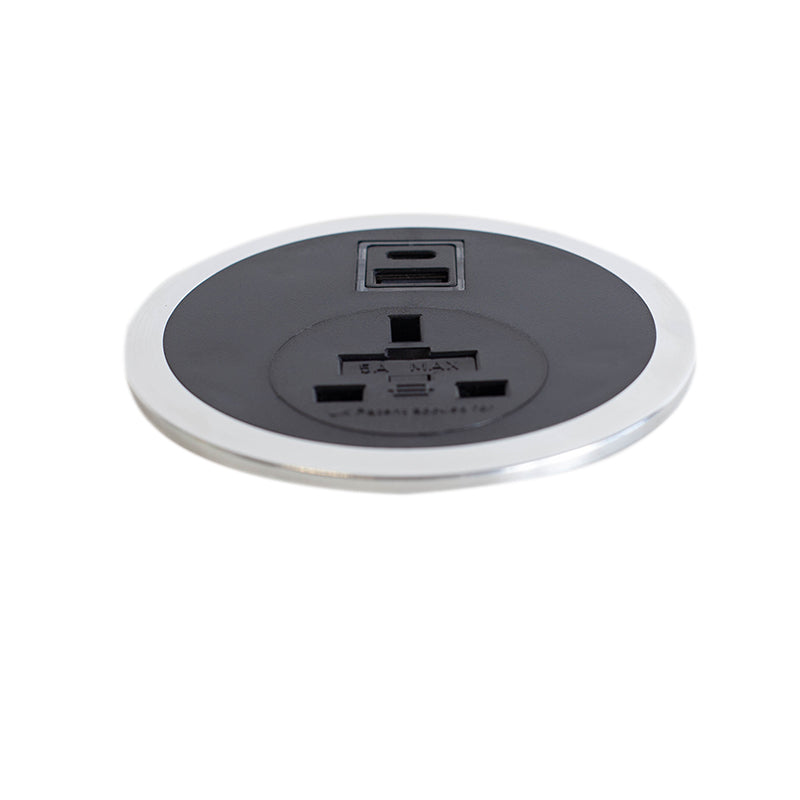
Ergo Desks offers the In Desk USB & Mains Power Unit at £110.00. It is available as a three-pin UK socket with twin USB ports (A and C), or as a plain three-pin UK socket. It fits into a porthole and includes an integrated spare fuse.
Can You Buy an Electric Desk Frame With USB Charging Ports?
Yes, but the charging port is usually a separate accessory rather than part of the frame itself. Check the listing carefully to see whether a port is included or sold separately.
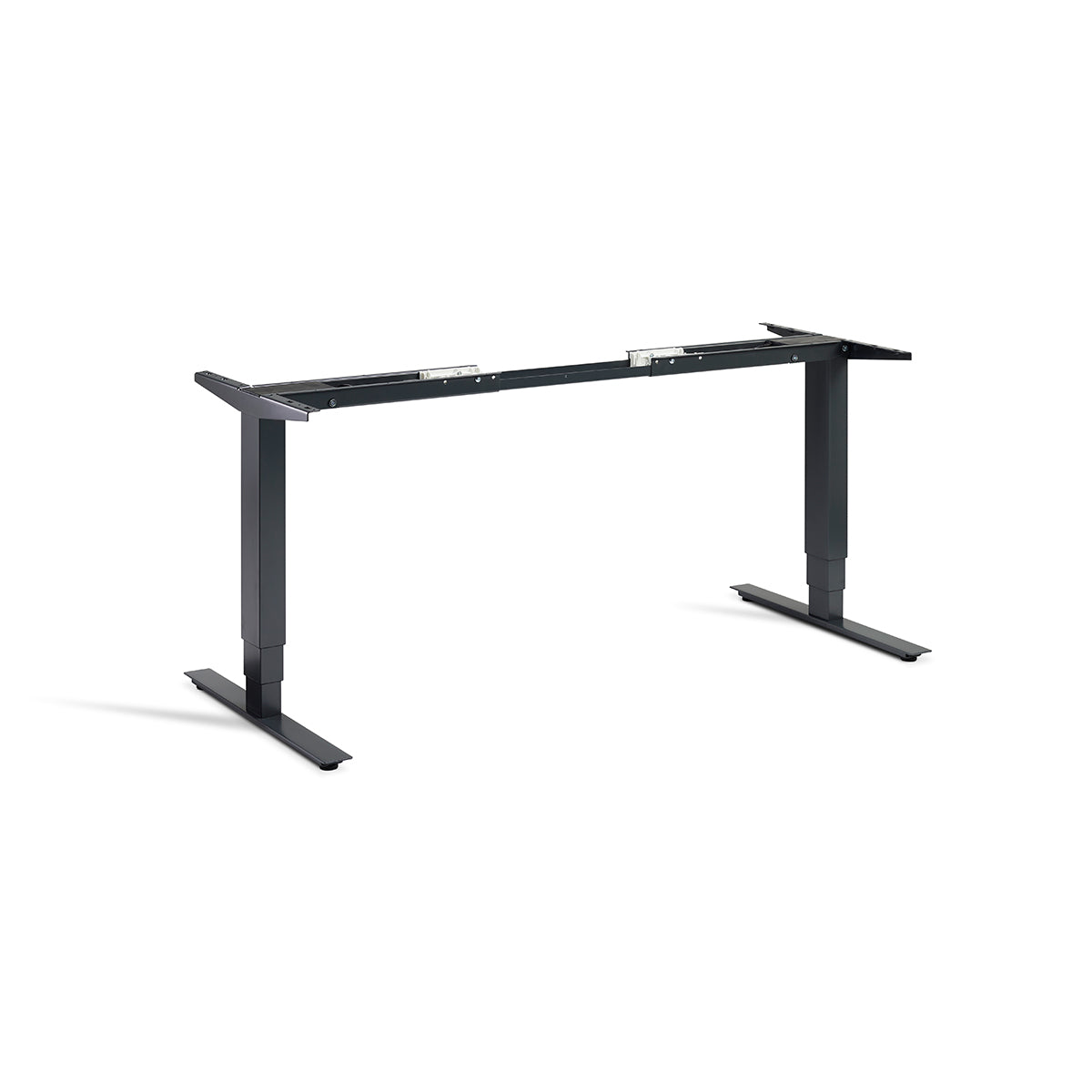
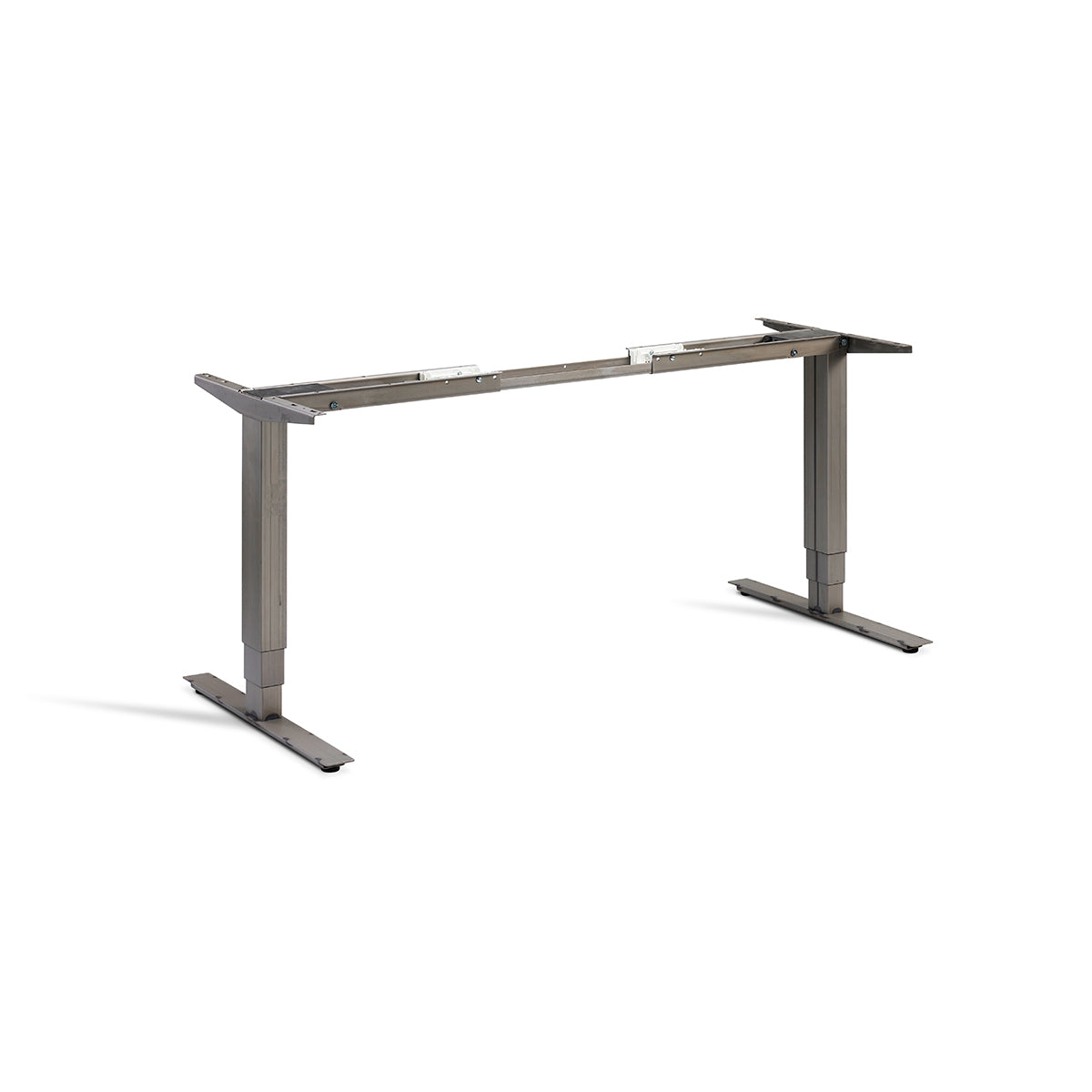
Ergo Desks sells electric desk frames and a separate in-desk power unit. The Atlas Electric Desk Frame, the Hades Electric Frame and the Crown Electric Desk Frame each start from £550.00 or £1,110.00 as listed, with the power unit bought alongside.
USB-A vs USB-C Desk Charging: Which Port Suits You?
USB-C is the newer standard and handles faster charging for many modern laptops and phones. USB-A remains common for older devices, accessories and some peripherals. If your devices use both, a unit with one of each covers most needs.
The Dataflex USB-A + USB-C 30W Desk Charger, priced at £98.00, provides one USB-C port rated up to 3.0A and one USB-A port rated up to 2.5A, with 30W total output. It includes a 2-metre GST18 to UK power cable and carries up to 15 years of Dataflex warranty after product registration.
Before buying, check the wattage your laptop needs. A port that delivers less power than your device requires may charge slowly or not at all during heavy use. If your laptop requires more power than the 30W total output, look for a charging unit rated accordingly, or use the laptop's own power supply for heavy tasks.
Port behaviour when the desk is idle is another practical detail. Check the product specification or ask the team whether the USB ports remain powered when the desk is idle, because this affects whether you can leave devices charging overnight or between sessions.
Cable length and routing also matter. A charging unit with a short cable may not reach a floor socket when the desk is at standing height. Confirm the cable length and whether an extension is needed before you commit. The Dataflex charger includes a 2-metre cable, but measure the distance from your desk's porthole to the nearest socket to be sure.
Watch out: a USB-C port that supports fast charging for a phone may not deliver enough power for a laptop, so match the port's rated output to your most demanding device rather than assuming all USB-C ports perform the same.
Dual-Motor Standing Desk Frames: Lift Capacity and Stability
The dual-motor frames in our range are designed for heavier loads. Lift capacity is the figure to check first, because it determines whether your desktop, monitors and accessories stay stable at full height.
Ergo Desks lists the Atlas Electric Desk Frame as capable of lifting up to 120kg, with overload protection, thermal protection and anti-collision detection. The Crown Electric Desk Frame is listed at up to 100kg. The Hades is a dual-motor frame made from high-grade steel, with two motors and a stated operating speed of 40mm/s, covered by a 7-year guarantee. You can view the Duo Electric Desk Frame's specifications to compare lift capacity and stability.
The table below sets out the key lift and stability figures for the frames covered in this section, so you can compare them at a glance.
| Frame | Lift capacity | Key feature |
|---|---|---|
| Atlas Electric Desk Frame | Up to 120kg | Overload, thermal and anti-collision protection |
| Crown Electric Desk Frame | Up to 100kg | Listed lift capacity |
| Hades Electric Frame | Not stated | Dual motors, high-grade steel, 40mm/s speed |
Electric Desk Frame With Cable Management: What to Look For
Good cable management keeps power leads, USB cables and monitor wires out of the way as the desk moves. Look for a frame or desktop that gives you a clear route for cables, such as a cable tray or channel beneath the desktop.
!A tidy home office with a standing desk at seating height, a laptop and monitor, and a neat cable tray beneath the desktop
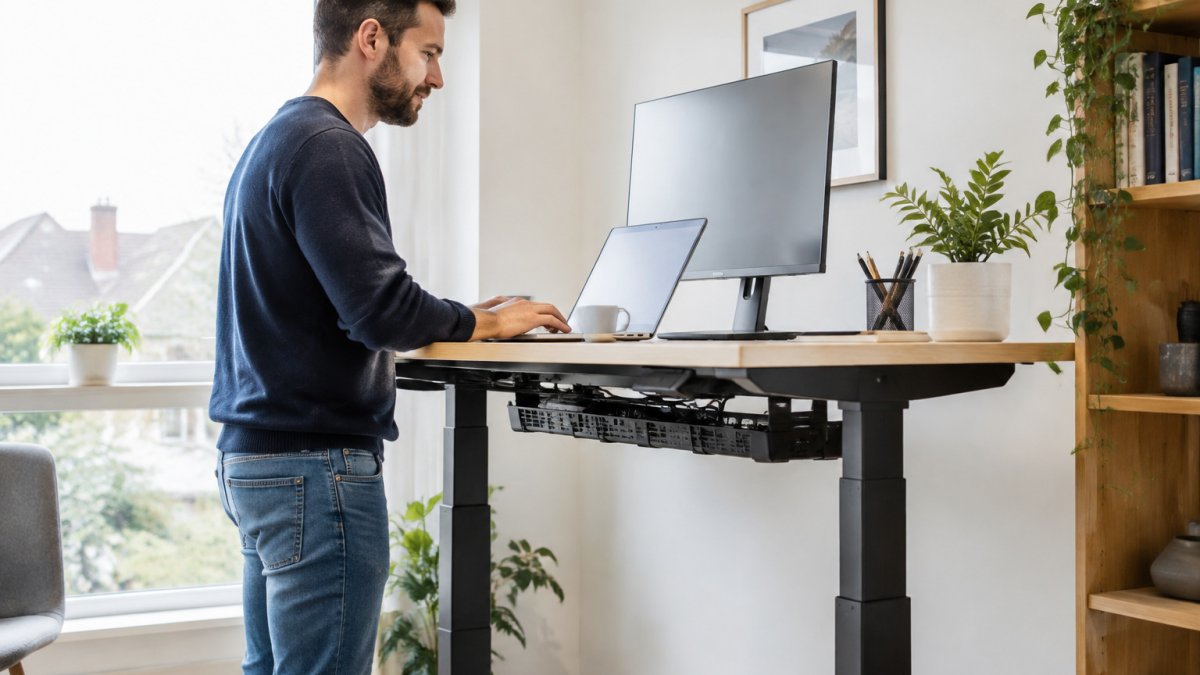
Leave some slack in every cable so the desk can rise and lower without pulling on the plugs. Secure loose leads with clips or ties, and keep the power unit's socket reachable for unplugging.
Fitting a Desktop and Checking Width Range
The frame has to match the desktop you plan to use. The Hades, for example, uses a telescopic central beam that fits desktops from 1200 to 1800mm wide. Measure your intended desktop before you choose a frame.
Frame Only or Complete Desk: Checking Compatibility and Total Cost
A frame-only purchase lets you choose your own desktop, but you then need to confirm it fits the frame's mounting and width range. A complete desk is simpler to set up, though it can limit your choice of size and finish.
The Hades Electric Frame, for example, uses a telescopic central beam that fits desktops from 1200 to 1800mm wide. Confirm the desktop fits the frame's mounting before you buy.
When comparing total cost, add the frame price, any desktop you still need to buy, the USB power unit, and delivery and assembly if required. Ergo Desks offers tailored corporate solutions, so ask about these when you enquire. The Crown Electric Desk Frame is listed at £1,110.00, and the Hades Electric Frame is listed at £550.00 for the frame only. You can compare the Crown Electric Desk Frame's specification and fit details before deciding which option suits your space. A separate desktop and the In Desk USB & Mains Power Unit at £110.00 will add to that figure, so the final outlay depends on the size and finish you choose.
Warranty coverage is part of ownership cost too. The Hades is covered by a 7-year guarantee, and the Dataflex charger carries up to 15 years of warranty after product registration. Check what each warranty covers and how long it runs.
Safety and everyday usability are worth checking before you commit. Look for anti-collision detection and overload protection, which the Atlas frame includes. The Atlas Electric Desk Frame is listed with overload protection, thermal protection and anti-collision detection, and a lift capacity of up to 120kg. The Crown is listed at up to 100kg. Distribute weight evenly across the desktop and keep cables slack so they do not strain as the desk moves.
Compare the full basket, including desktop and power unit, rather than the headline frame price.
Booking Your Next Step: Choosing the Right Frame and Power Setup
Start by confirming three things: the lift capacity you need, the desktop width your frame supports, and the charging ports your devices use. Once those match, the frame and power unit are straightforward to pair.
If you are still choosing, talk to the Ergo Desks team about which combination suits your workspace and devices.
Frequently Asked Questions
Can you buy an electric desk frame with USB charging ports?
Yes. Ergo Desks sells an In Desk USB & Mains Power Unit at £110.00, available with twin USB A and C ports or as a plain three-pin UK socket. It fits into a porthole in the desktop, for use with your desk. Each unit includes an integrated spare fuse. Choose the variant that matches the devices you charge most often.
Can a USB port on a desk frame charge a laptop?
Most laptops charge through USB-C, and many need more power than a basic USB-A port delivers. The Dataflex USB-A + USB-C 30W Desk Charger, priced at £98.00, offers a USB-C port up to 3.0A and a USB-A port up to 2.5A with 30W total output. Check your laptop's charger rating before relying on any port.
What is the difference between USB-A and USB-C desk charging?
USB-A is the older, rectangular connector used by many keyboards, mice and older phones. USB-C is reversible and supports higher power delivery, which suits newer laptops and tablets. A desk setup with both ports covers current and older devices. The Dataflex charger provides one of each, giving you USB-C up to 3.0A and USB-A up to 2.5A from a single unit.
What should I check before fitting a desktop to an electric desk frame?
Confirm the desktop width falls within the frame's supported range. The Hades Electric Frame, for example, uses a telescopic central beam for desktops from 1200 to 1800mm wide and is supplied as frame only, so the desktop is bought separately. Also check the load capacity: the Atlas frame lifts up to 120kg and the Crown up to 100kg. Measure your space before ordering.

