


Quick Summary
To check desk frame dimensions for a desktop, measure the frame's minimum and maximum width, its depth and its mounting-point spacing, then compare them with your desktop. The desktop must sit within the frame's adjustable range, with an even overhang at each end, and the whole desk must fit your floor space.
- Measure the floor space width and depth, plus any doors, radiators or sockets to clear.
- Record the frame's minimum width, maximum width, depth and mounting-point spacing in millimetres.
- Check that your desktop width sits inside the frame's adjustable range.
- Calculate overhang at each end as (desktop width minus frame width) divided by two.
- Confirm the desktop thickness suits the frame's clamps before ordering.
Table of Contents
- Why Checking Desk Frame Dimensions Matters Before You Buy
- Measure Your Available Floor Space and Room Layout
- Measure the Desk Frame Itself: Width, Depth and Adjustable Range
- Checking Desk Top Thickness for a Standing Desk Frame
- Mounting Hole Spacing and Frame-to-Desktop Fit
- Planning Desktop Overhang, Monitor Arms and Clearance
- Booking Your Fit Check Before Ordering Your Ergo Desks Frame
- Frequently Asked Questions
Why Checking Desk Frame Dimensions Matters Before You Buy
Last Updated: 1 November 2026
Checking your desk frame dimensions before buying is one of the simplest ways to avoid a costly mistake, because a frame that does not fit your desktop is a common problem in home office set-ups.
A desk frame is only half of the set-up. The desktop you attach to it must match the frame's width, depth and mounting layout, and the whole desk must fit the room.
Measuring properly also helps you plan for the things that sit on the desk.
Key points to check:
- The room or floor space where the desk will stand
- The width and depth of the frame and desktop
- The adjustable width range of the frame
Measure Your Available Floor Space and Room Layout
Start by measuring the space where the desk will go. Use a tape measure, and record the length of the wall and the distance from the wall to the nearest obstacle.
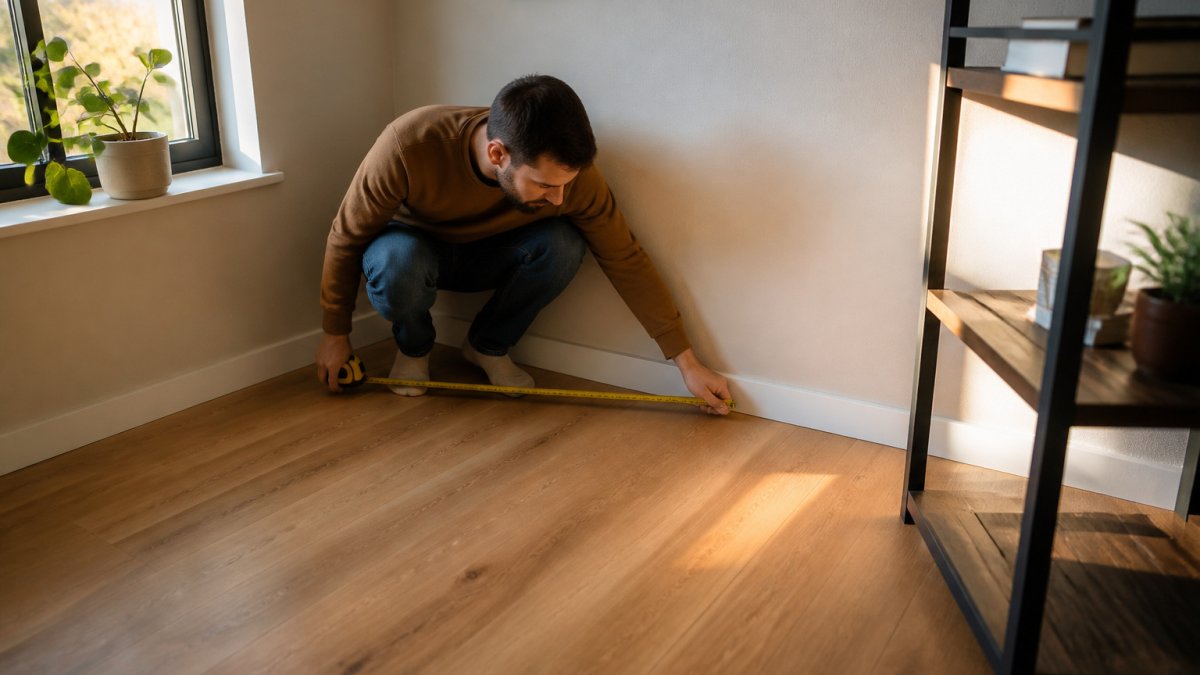
A common mistake is measuring only the width. Measure the depth as well, from the wall to the front of the room, and note any doors, radiators, power sockets or windows that could get in the way.
Follow these steps:
- Measure the wall width where the desk will sit.
- Measure the depth from the wall to the front of the space.
- Mark any doors, radiators and sockets that the desk must clear.
- Leave room for your chair to slide back and for you to walk past.
Watch out: Leaving no space behind the chair often makes a desk feel cramped, even when the dimensions technically fit.
Measure the Desk Frame Itself: Width, Depth and Adjustable Range
Most guides stop at the desktop and the room. The frame is the part that actually has to match both, so measure it directly rather than relying on a product page alone. A repeatable method is to record four figures for every frame: minimum width, maximum width, frame depth, and mounting-point spacing. Write them down in millimetres and keep the same order each time so you can compare frames side by side.
Measuring a frame that is already assembled
If the frame is in front of you, work in this order:
- Minimum width. Retract the telescopic beam fully. Measure from the outside face of one leg to the outside face of the other at the widest point. This is the narrowest desktop the frame will safely carry.
- Maximum width. Extend the beam to its limit and repeat the measurement. Do not force it past the stop; the manufacturer's limit is the limit.
- Frame depth. Measure from the front crossbar to the rear crossbar, then from the front foot to the rear foot. These are often different, and the foot projection is the figure that catches people out against a skirting board or radiator.
- Mounting-point spacing. Measure centre-to-centre between the pre-drilled holes on each side rail, and the distance between the front and rear rails. Record both the left-to-right and front-to-back spacing.
Reading the adjustable range correctly
The Hades Electric Frame is a useful example: its telescopic central beam is designed to fit desktops from 1200mm to 1800mm in width. That range is the usable desktop width, not the frame's own footprint.
When you compare frames, treat the minimum and maximum as hard limits. Maintaining this structural integrity remains just as critical when choosing workbench sizes for more demanding workshop environments.
Measuring a frame you cannot see
If you are buying from a product page, the dimension drawing is your frame. Look for a drawing that shows the frame at both its minimum and maximum extension, with the mounting-hole spacing called out. If the page only gives a single width figure, ask the manufacturer for the minimum, maximum and mounting spacing before you order. A frame with no published adjustment range is a frame you cannot check.
The table below sets out the frame measurements and limits described in this section, so you can check them quickly against your desktop.
| Measurement | Value | Note |
|---|---|---|
| Minimum width | Frame fully retracted | Narrowest desktop the frame will safely carry |
| Maximum width | Frame extended to its limit | Do not force past the stop |
| Frame depth | Front to rear crossbar | Measure foot projection separately |
| Mounting-point spacing | Centre-to-centre on side rails | Record left-to-right and front-to-back |
| Hades Electric Frame range | 1200mm to 1800mm | Usable desktop width, not frame footprint |
| Tape reading tolerance | Within a couple of millimetres | Reset if two readings differ by more than that |
Checking Desk Top Thickness for a Standing Desk Frame
Desktop thickness affects how the top attaches to the frame. Measure the thickness of your desktop at its edge before you order a frame.
Many frames use clamps or mounting brackets that grip the desktop. If the top is too thin or too thick for those clamps, it may not attach securely.
Check the frame's guidance on compatible thickness, and compare it with your desktop. For guidance on which manual frame suits a custom desktop, see choosing a manual frame for a custom desktop.
Mounting Hole Spacing and Frame-to-Desktop Fit
Mounting holes are the pre-drilled points where the frame connects to the desktop, and their spacing must match the frame's mounting layout. This is the section where most fit problems actually happen, so work through it with numbers rather than a glance.
The three checks that decide fit
- Width compatibility. Confirm your desktop width sits inside the frame's minimum and maximum range. Then calculate the overhang at each end: (desktop width − frame width at your chosen extension) ÷ 2. Aim for an even overhang on both sides. A small, even overhang is normal; a large one makes the desk top-heavy, and a negative figure means the desktop is too narrow.
- Mounting-hole alignment. Measure centre-to-centre between the holes on the frame's side rails, and the front-to-back spacing between the rails. Compare those with the matching points on your desktop, or with the desktop's specification if it is pre-drilled. The two layouts must line up. If they do not, the desk may be unstable or impossible to fit.
- Thickness and clamp grip. Check the frame's stated compatible desktop thickness against the thickness of your top, measured at the edge. Many frames use clamps or mounting brackets that grip the desktop, and a top that is too thin or too thick for those clamps may not attach securely.
A worked example
Suppose your frame extends to 1500mm and your desktop is 1600mm wide. The overhang at each end is (1600 − 1500) ÷ 2 = 50mm. That is a modest, even overhang and sits comfortably within most frames' guidance. Now suppose the same frame with a 1200mm desktop: (1200 − 1500) ÷ 2 = −150mm, which means the desktop is narrower than the frame and will not sit correctly.
Tolerances and real-world fit
Manufacturers quote nominal dimensions, and real desks are rarely perfectly nominal. Allow for:
- Rounded or chamfered edges. A desktop listed at 1600mm may measure slightly less across its usable flat surface once the edge profile is taken into account.
- Uneven walls and skirting. Measure depth from the wall at the point where the desk will actually sit, not at the nearest clear patch.
- Measurement error. A tape measure read by eye is typically good to a couple of millimetres. If your calculation lands within a few millimetres of a limit, treat it as at the limit.
Custom and reclaimed desktops
A custom or reclaimed top usually has no pre-drilled holes, which gives you freedom but shifts the work to you. Mark the frame's mounting points on the underside of the top, check the spacing against the frame, and confirm the thickness is within the clamp's range before drilling. If the top is thicker than the frame's clamps allow, ask the manufacturer for advice rather than forcing the fit.
Planning Desktop Overhang, Monitor Arms and Clearance
The desktop should sit evenly on the frame, with an even overhang at each end.
If you plan to use a monitor arm or clamp, allow for clearance at the back of the desk.
Consider these points:
- Check that the desktop depth leaves room for the monitor and keyboard.
- Allow space behind the desktop for cables and clamps.
- Make sure the monitor arm does not hit the wall or a shelf.
Watch out: A monitor arm clamp fitted too close to the edge of a thin desktop can crack the surface, so check the clamp's position before tightening.
Booking Your Fit Check Before Ordering Your Ergo Desks Frame
Once you have your measurements, check that the frame and desktop match. If you are unsure, talk to our friendly team about what product is best for you. They can help you confirm whether the Atlas Electric Desk Frame, the Hades Electric Frame or another option will suit your space and desktop.
You can also compare the frame dimensions on the product page before you order. For a planning guide to desktop size, see 5 desktop size mistakes with manual crank desk frames, and for the monitor arm and clearance details, read the monitor arm buying guide. When you are ready to take your measurements, follow how to measure for a standing desk: a step-by-step guide.

Frequently Asked Questions
How do I measure a desktop for a desk frame?
Measure the desktop edge to edge at its widest and deepest points, using a steel tape measure in millimetres. Record the width first, then the depth from the front edge to the back edge. Check the measurements at two or three points along each edge, since a slightly bowed or uneven top can throw off a fit. Note the thickness of the top at the edges as well, because the clamps on a frame need to grip the underside. Compare these figures with the frame's stated adjustable width range and its maximum top size before ordering.
How much narrower should a desk frame be than the desktop?
The frame's crossbar and feet need to sit under the desktop without projecting past it, so the frame should fit within the underside of the top. Check the frame's adjustable width range, then choose a setting that leaves the feet and crossbar clear of the edges. Allowing a small margin on each side keeps the fixings accessible and stops the frame from showing at the edges. Always confirm the exact mounting positions against the product's technical drawing before drilling or fixing anything.
How much overhang should a desktop have?
Overhang refers to how far the desktop extends beyond the frame's supporting structure. A modest overhang is generally fine, but the top should not extend so far that it feels unstable when you lean on it or adjust the height. Check the manufacturer's guidance on maximum overhang, and keep heavy monitors or arms within the supported area of the top. Measure the distance from the outer frame member to the desktop edge so you can compare it with the recommended figure.
Can any desktop fit a standing desk frame?
Not every desktop will fit every frame. The key checks are the overall width and depth of the top, whether the top falls within the frame's adjustable width range, the top's thickness so that the clamps or fixings can grip it, and whether the mounting hole spacing on the frame lines up with your desktop's fixing points. Measure each of these before buying, and check the product's dimension drawing. Ergo Desks can help you confirm the right match for your setup, so talk to our friendly team if you are unsure.

